
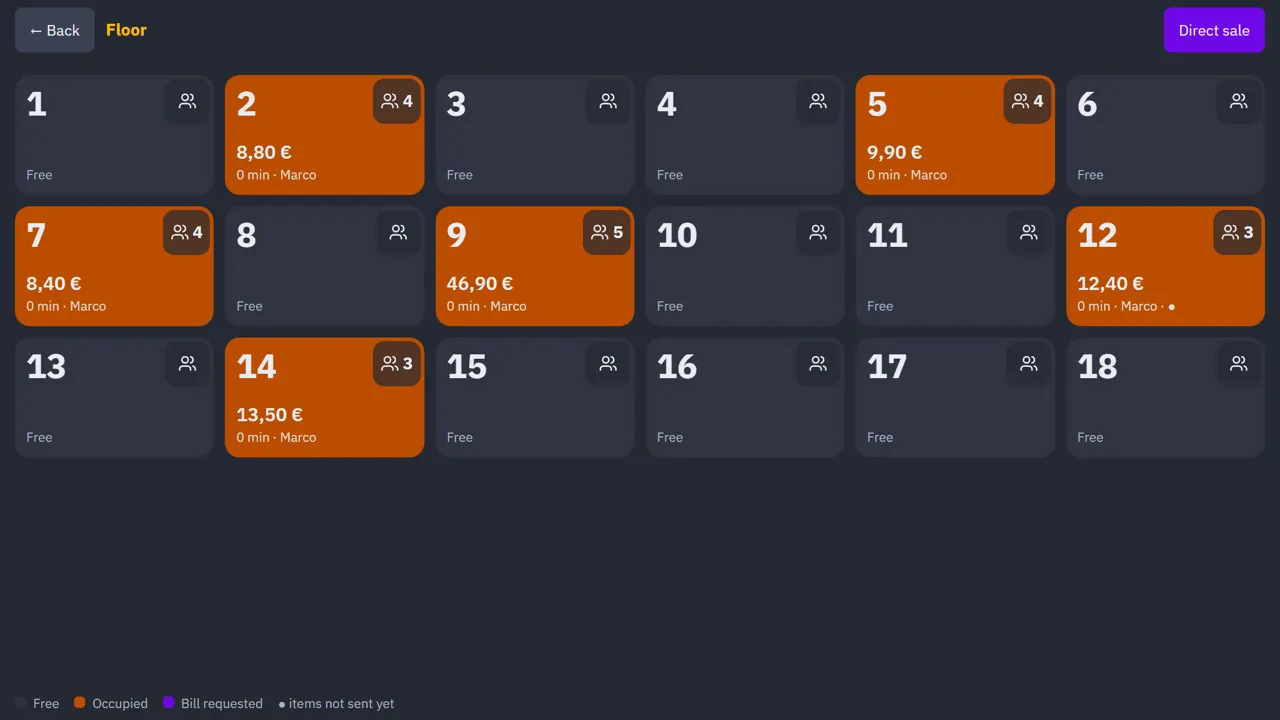
Floor plan and guests per table
Each guest at the table has their own share: no more splitting the bill by hand.
Windows · Windows 7 · Android — works even without Internet
Touchscreen POS, waiter tablets, orders to bar and kitchen, customer display: WOPOS connects everything over your venue’s Wi-Fi.
Big buttons, direct printing and three languages for the whole team.
Each guest at the table has their own share: no more splitting the bill by hand.
Orders go to bar and kitchen straight from the table, over local Wi-Fi.
Customers see their total: fewer paper receipts.
Tax summary, VAT by rate and tips, available remotely.
Service carries on; the encrypted online backup resumes when the network is back.
Every staff member works in their own language.
Windows PC (even Windows 7) or Android terminal, USB or network ESC/POS printers, cash drawer. The bar PC is the server: your data stays on site.
Yes. The bar PC is the venue’s server: till, tablets and printers keep working over Wi-Fi even if the Internet goes down. The online backup is sent when the connection returns.
A Windows 10/11 or Windows 7 PC, or an Android POS terminal, ideally touchscreen. ESC/POS receipt printers over USB or network (port 9100) and, optionally, a cash drawer.
Yes. With an Android tablet or a browser on the venue Wi-Fi, the waiter takes the order at the table and it prints instantly at the bar and in the kitchen. Waiters cannot take payments or access the admin.
Spanish, English and French. Each user picks their language, and receipts print in the configured language.
Message us on WhatsApp or call +34 623 617 833.